AX
Create 10,000 product thumbnails in one click, automatically and in bulk
Role: system design
What if I have to create 10,000 product thumbnails?
First, let me briefly explain why we created this workflow.
Today's house changed its business model to increase the contribution transaction volume of rental category products. In the past, the partner or brand directly registered the product and today's house was only in charge of the brokerage (as-is), but today's house has been converted to a model (to-be) where the rental subscription is brokered by signing a contract directly with the partner.
As a result, I was tasked with researching 10,000 product thumbnails in today's home direct brokerage rental category.
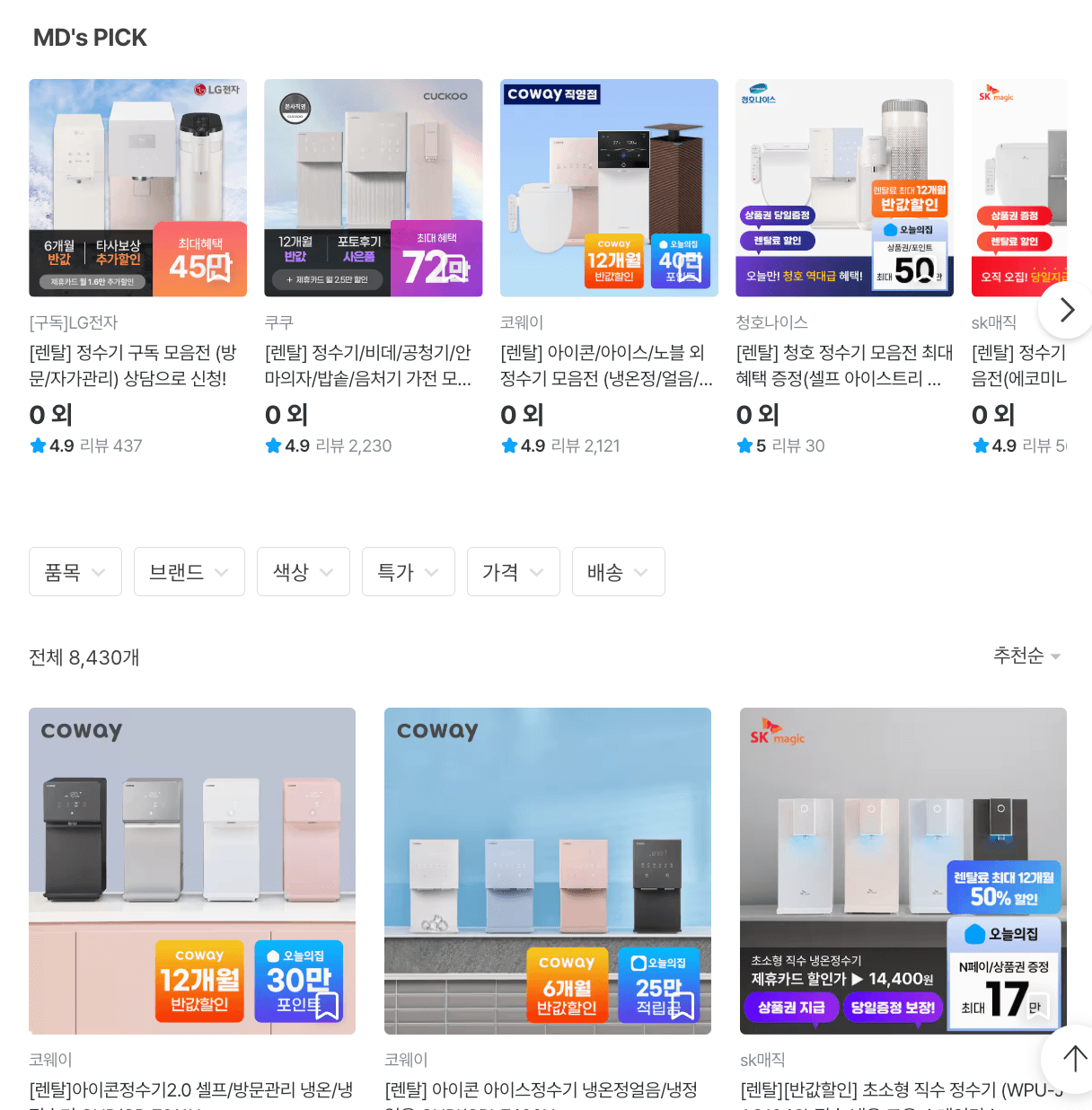
The formula for the rental product thumbnail
In general, each brand manages product information differently, so the general grammar of exploring rental products was that the model name or option (color, commitment) information was displayed visually well.
Card discounts and other information are important and shouldn't seem too messy. Here, it was also necessary to reliably announce that it was a product managed by today's house. It's practically impossible for a designer to fit these conditions into hundreds of products by hand.
Implement workflows into operational workflows
It was impossible for the designer to fit hundreds of items by hand, so the first step was to reduce the repetition. Instead of creating a new model name, options, and benefits for each brand, we decided that if we could process them in dynamic text within the template, the information could be reflected immediately without design requests.
The next question was how to get the Ops person to hand over the information. If you familiarize yourself with the new tool, it can be a bottleneck, so we adopted the Google Sheets you're already familiar with as the input channel. It was a structure that only needed to be filled, so there was almost no running curve.
Once this direction was established, we designed an automation solution that automatically synthesizes data into templates as a trigger for sheet updates to create thumbnails.
Workflow
-
- A. data item crawl & automatic sheet mapping * *
With Ops and PO, we crawled the product data registered on the partner's website, and automatically organized the product image resources in Google Sheets according to the specified data fields.
-
- B. uploading template resources * *
Fixed resources such as badges and logos were pre-loaded as URLs on Cloudinary (up to 20,000 copies on the free plan), and text that changed every time, like the price, was converted to images with Pretendard fonts, and then composited. That way, you can keep your Tone & Manor in one template, even if the information is different for each brand.
-
- C. Run Trigger in Google Sheets * *
the product_id, model_id, and price_sale values are all filled in, there are no duplicates, and the statusIf you meet all three conditions that change to [waiting], we made the n8n workflow run. This will automatically generate a thumbnail for the template guide and update the resulting URL in a new column in Google Sheets.
Results and Achievements
By batching 10,000 product thumbnails instead of working on one, we were able to support bulk uploads.
We can respond to changes during operations as soon as the sheet is updated without a design request. Most importantly, thanks to the centralized template, we were able to maintain the design tone and manners even with hundreds of products.
By shifting recurring visual tasks into templates and automation pipelines, operations teams can respond quickly with sheet updates and designers can focus on the truly exceptional cases. Making design resources less of a bottleneck was what this workflow wanted to do.
Latest
PoC Prototyping Workflow Developer
2026

Solving problems in the outdated moving brokerage market
2026
Today's House Home Reorganization: From a feed of inspiration discovery to curating navigation
april, 2026
Creator Activity Dashboard
Nov. 2024

Ohouse Tag Editor UX Improvements
Jun. 2024

Browse tab navigation UX revamp
Mar. 2024